Clusters
Managed Kubernetes on any machine you choose. No public IP needed.
Open Clusters

Metrics, logs, dashboards and alerts are in place before the first workload. No separate project.
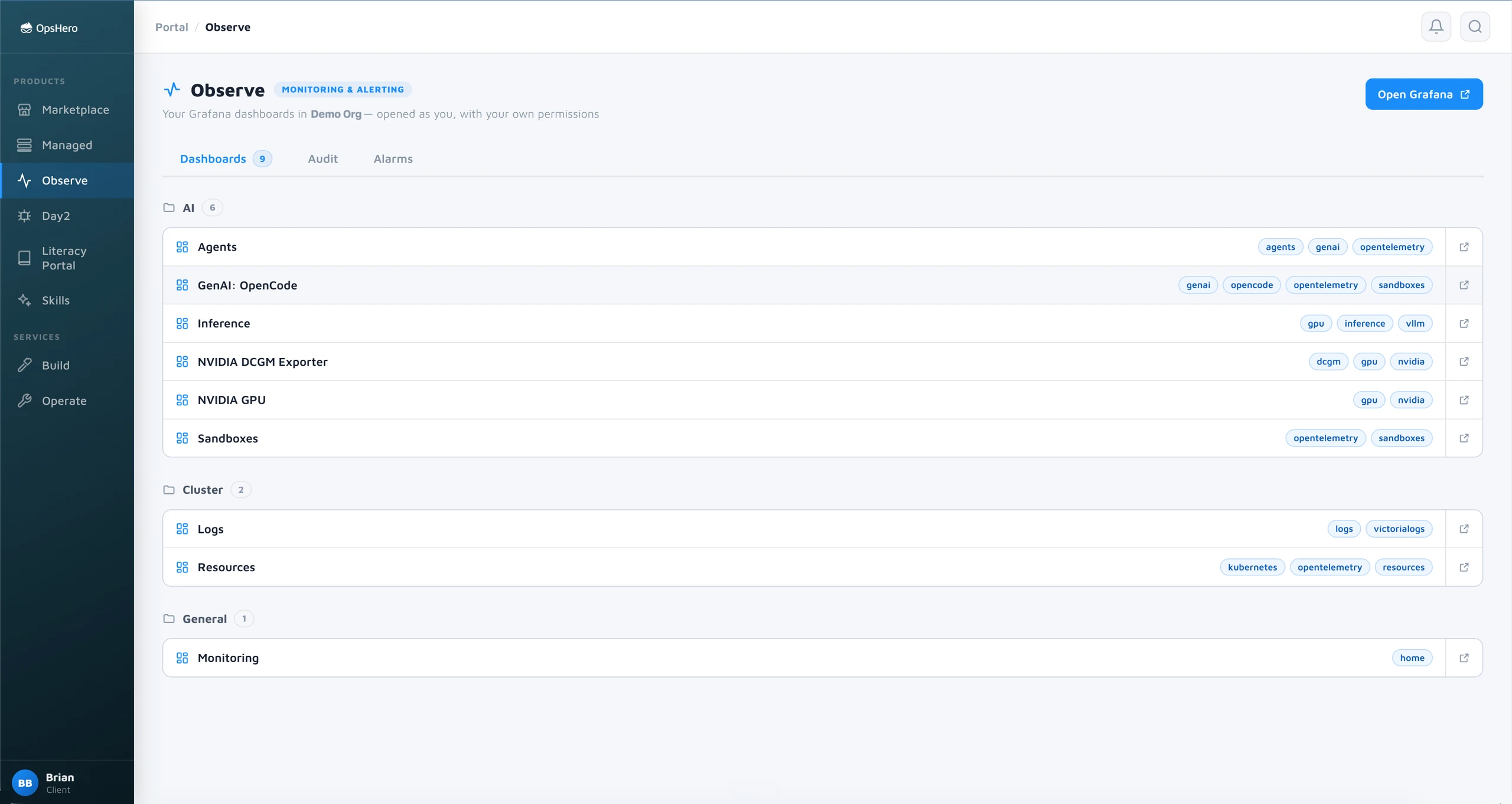
Dashboards and alert rules arrive with the cluster, before the first workload, so the first incident lands on a screen that already exists.
AI usage is visible from the first call: which agent, which model, which tool and how many tokens, long before the invoice.
GPU, application and model metrics sit side by side from the start, so a slow answer and the hot GPU behind it show up together.
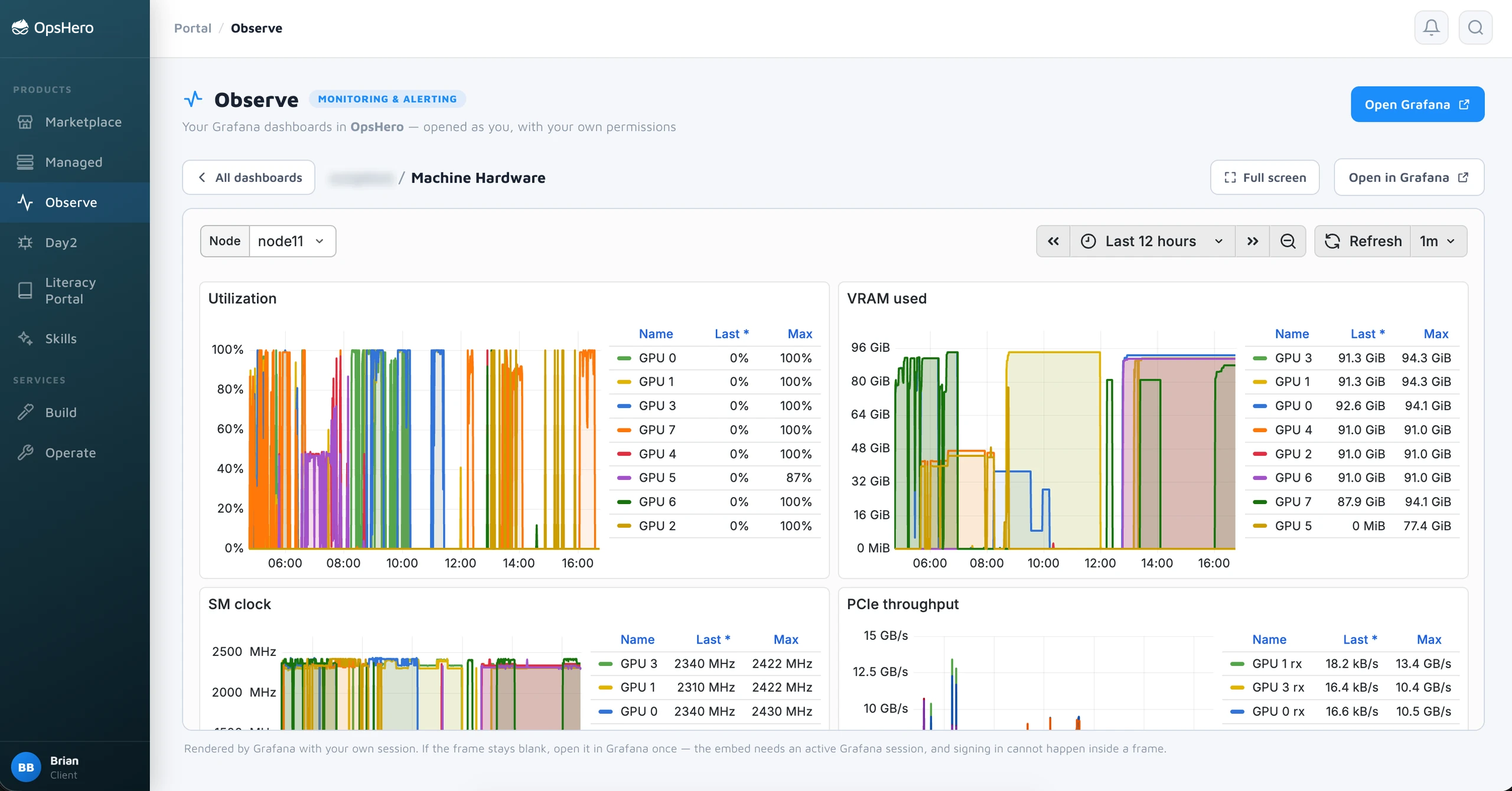
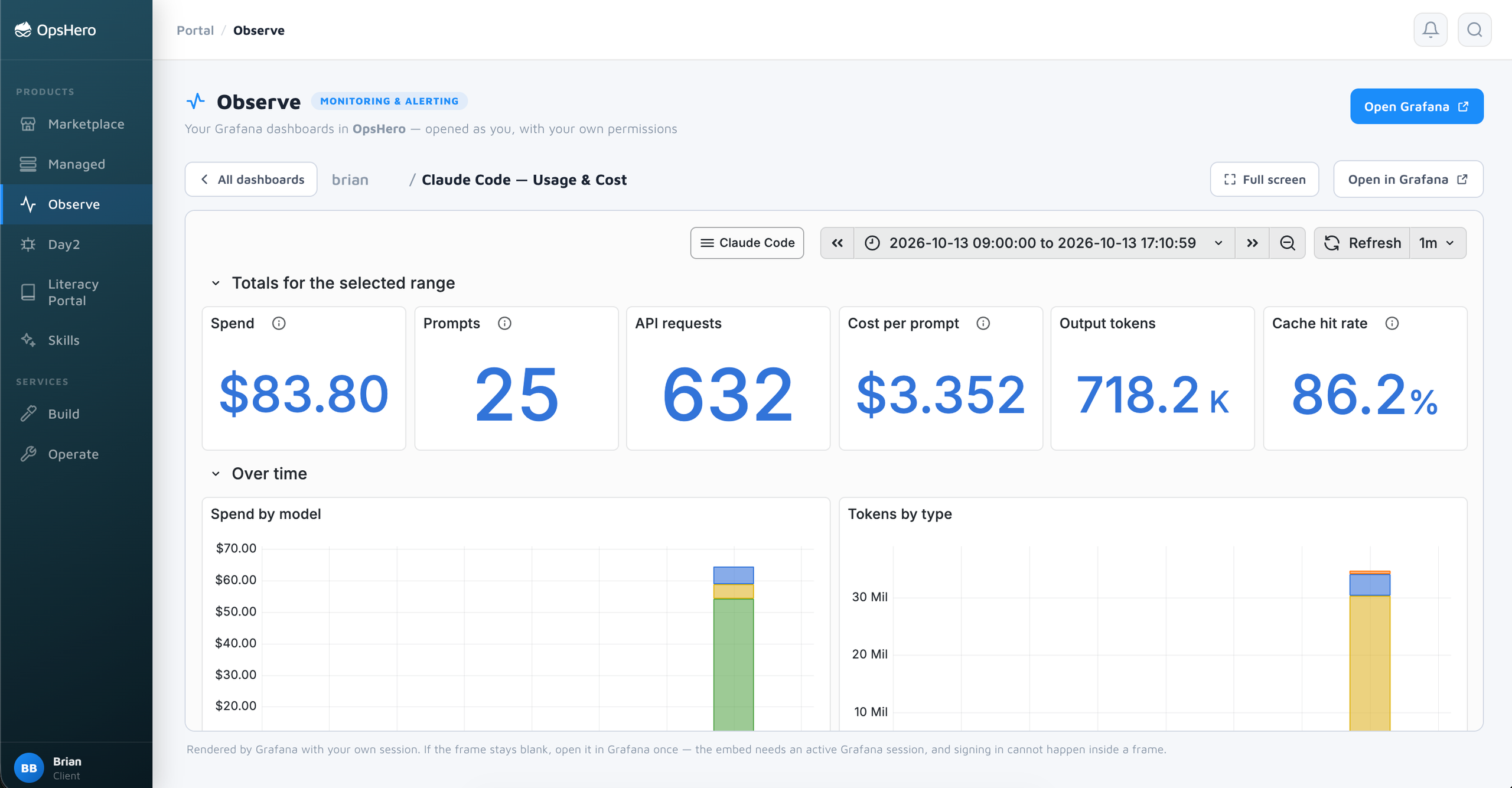
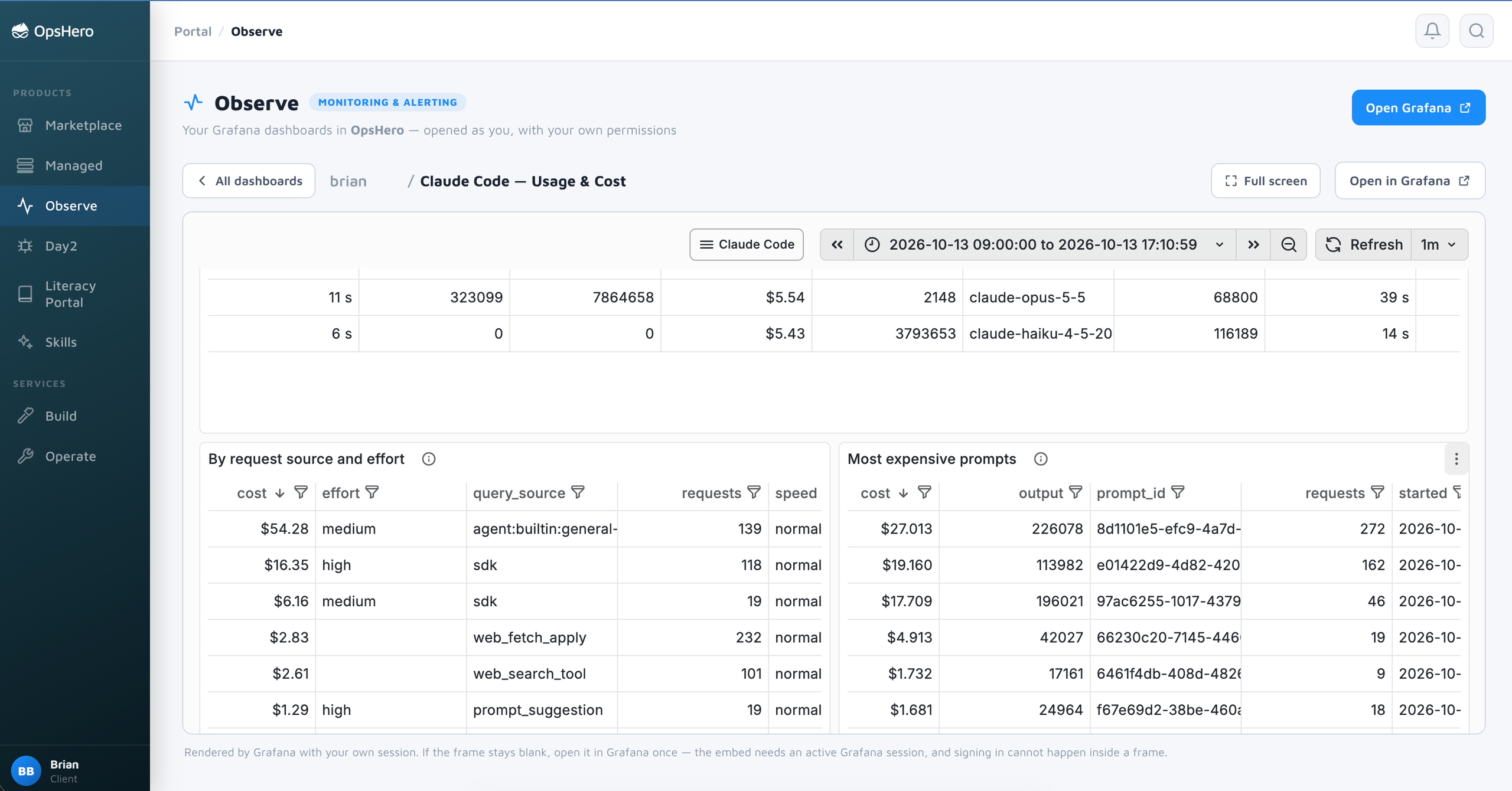
Installed with the cluster. No separate project. A new cluster gets the dashboards and alert rules it needs.
One protocol. Everything reports over OpenTelemetry, including the coding assistants and agents your team runs, so AI usage lands next to infrastructure metrics.
Your permissions. Dashboards open with the viewer's identity.
Your SIEM. Connect to your SIEM or forward the telemetry to your system of choice. Possible with a simple config change.
One portal, one cluster list, one set of identities.
Managed Kubernetes on any machine you choose. No public IP needed.
Open ClustersSigned applications from one catalogue, deployed to any cluster.
Open ApplicationsDevelopment, staging and production, set up the same way.
Open EnvironmentsA separate microVM for every agent task.
Open SandboxesAutonomous agents with only the access you give them.
Open AgentsOpen-weight models on your GPUs, behind one OpenAI-compatible gateway.
Open ModelsOne OpenAI-compatible endpoint for every model, local or hosted.
Open AI GatewayOne approved catalogue of what your agents may use.
Open Skills ManagerThe Kubernetes API, scheduler and etcd, run for you.
Open Control PlaneAn SRE agent that starts investigating before anyone is paged.
Open Day2